


Always know your repayments!
Fixed $30 per fortnight repayments.



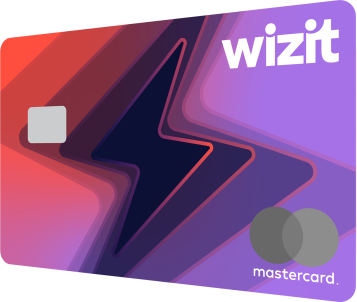
$1,000 credit limit
Zero interest forever
Simple monthly fee
*Shop anywhere Mastercard is accepted.
The wizitcard comes with no surprises. What you see is what you get.




Just one simple, fixed monthly fee. If you don't use the card, you don't pay.


Fixed $30 per fortnight repayments.

$100
a fortnight

$30
a fortnight

$7
a fortnight*
*over 36 months
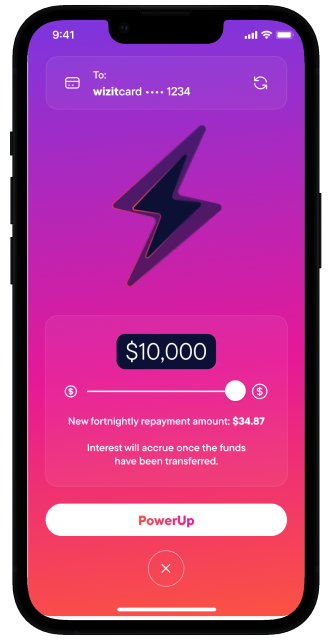

Pay digitally on your phone or wearable tech device.You don’t need physical card to shop. But, if you want to go old school, we’ll send you one.







Two forms of ID - driver licence, passport of Medicare card
Regular source of income
Your bank details on hand
.accordion-body, though the transition does limit
overflow.
.accordion-body, though the transition does limit
overflow.
.accordion-body, though the transition does limit
overflow.
.accordion-body, though the transition does limit
overflow.
.accordion-body, though the transition does limit
overflow.

Valute Pty Limited (ABN 57 621 695 725) of Level 15, 201 Kent St, Sydney, NSW 2001 is an Authorised Credit Representative, (Authorised Credit Representative Number 533976) of Credit Corp Financial Services Pty Limited (ABN 39 146 525 706) ACL (400871) of Level 15, 201 Kent St, Sydney, NSW 2001. | Valute Pty Limited is a member of the Australian Financial Complaints Authority (‘AFCA’) member #84530. Credit Corp Financial Services Pty Limited is also a member of AFCA, member #43582.
Design and Distribution
Obligations As a responsible issuer and distributor of financial products, Valute Pty Limited designs its products so they are likely to be consistent with the likely objectives, financial situations and needs of the consumers for whom they are intended, and takes steps to ensure that consumers are receiving products that are likely to be consistent with their likely objectives, financial situation and needs. We have prepared a Target Market Determination in accordance with the Design and Distribution Obligations under Pt 7.8A of the Corporations Act 2001. A copy may be obtained free of charge by writing to us at PO Box 4475, Sydney, NSW, 2001, emailing us at [email protected], or calling us toll free on 1300 730 522.